The Idea Behind PortSide
Why I decided to build my own terminal and SSH client, and how I planned it out before writing a single line of code.
Part 1 of 3 in Building PortSide: A Developer's Field Notes
Why I decided to build my own terminal and SSH client, and how I planned it out before writing a single line of code
Why build another terminal app
Every developer who spends real time on remote servers eventually accumulates the same small pile of frustrations. One tool handles SSH connections beautifully but treats file transfers as an afterthought. Another has a gorgeous file browser but a clunky, dated terminal underneath it. A third gets everything right except syncing my saved connections across my own devices, or charges a subscription for a feature I used once a year.
PortSide started from that familiar pile of small frustrations, not from a single big idea. My goal was never to out market an established terminal app or to chase every feature a competitor has. My goal was to build one tool that combines the handful of capabilities across several well known terminal and SSH clients that actually get used day to day, without the overlap, the paywalls, or the compromises that come from a product trying to serve a much larger and more varied audience than my own workflow.
That framing mattered because it shaped nearly every decision that followed. When you are building software for a broad market, you have to guess at what thousands of unknown users might want. When you are building software for yourself first, you get to be specific. I could commit PortSide to a particular visual style, a particular set of protocols, and a particular way of organizing saved hosts, because I had a clear, known set of requirements to build against instead of an abstract persona.
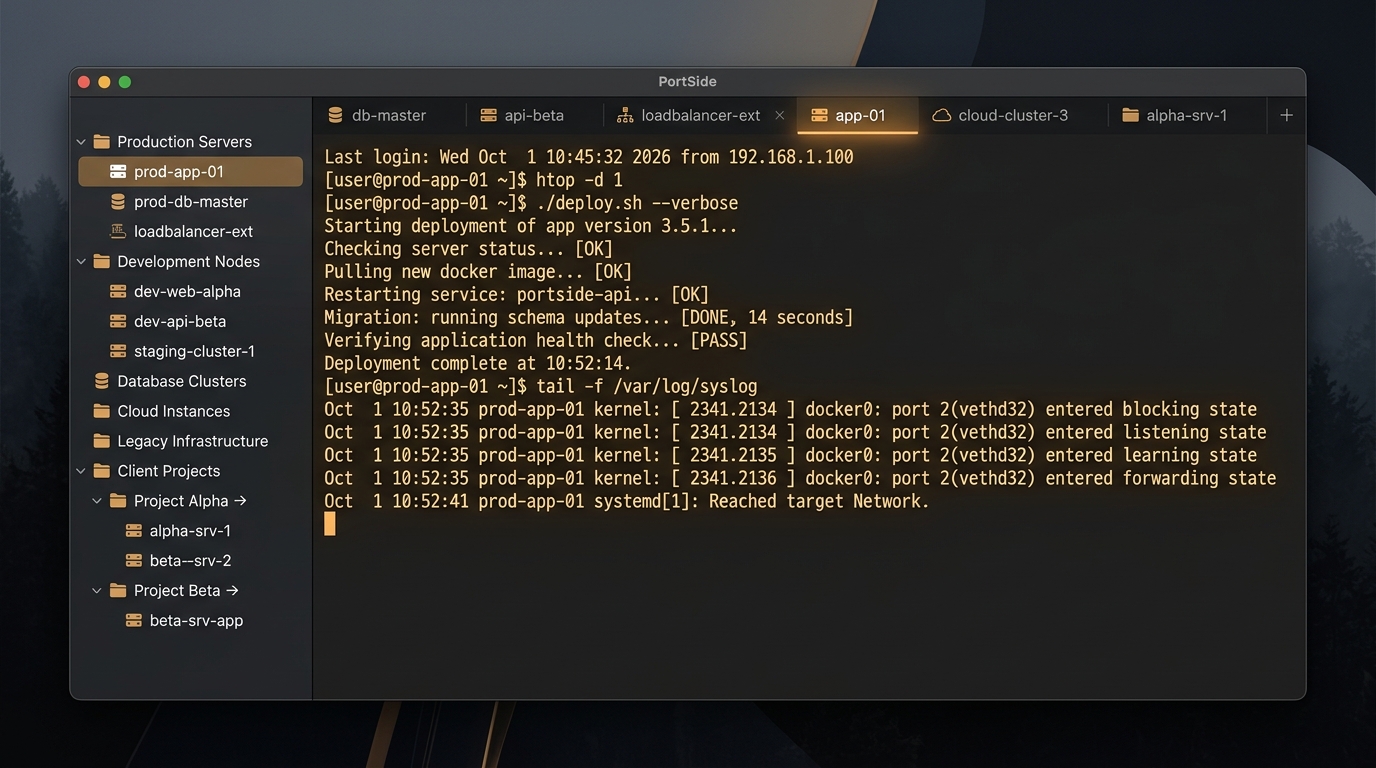
Naming the project
Before I wrote any code, I spent time on something easy to skip entirely: the name. I considered a handful of candidates, including KeyPort, Hearth, Junction, and Waylay, each with its own angle on the idea of connecting to something and keeping it safe. PortSide won out for a simple reason. It plays on the word port in the networking sense, while also evoking a harbor you return to before heading back out to sea. For an app whose whole purpose is to be the calm, organized home base you dock into before jumping out to a dozen different servers, that felt right.
Naming a piece of software I intended to actually finish and ship is not purely cosmetic. A name that reads clearly on a small Dock icon, that has no obvious conflict with an existing terminal app, and that still means something once I had stared at it for six months, saves me a rename later. PortSide passed all three tests, so it became the name across the project files, the bundle identifier, and eventually the CloudKit container used for syncing.
Choosing a technical foundation instead of reinventing everything
The single most important early decision was refusing to build every layer of the app from scratch. A terminal emulator alone is a serious, multi year undertaking if you try to write your own ANSI and VT100 parsing from first principles. An SSH implementation is even less forgiving, since a subtle mistake in a cryptographic handshake is not the kind of bug you want to discover after shipping. So instead of treating this as three separate companies worth of engineering, I leaned on a small set of proven, actively maintained, open source Swift libraries to handle the hardest parts.
SwiftTerm became my terminal emulation engine, handling the escape sequence parsing and rendering that would otherwise have consumed most of the project on its own. Citadel, built on Apple's own swift nio ssh, became my SSH and SFTP layer. ORSSerialPort covered serial console connections to USB to serial adapters and similar hardware. Telnet, being a simpler protocol, got a small custom layer written directly over Apple's Network framework rather than pulling in another dependency for something that did not need one.
Around those protocol libraries, I planned SwiftUI as the interface shell, with AppKit used only where the terminal view itself needed lower level control. Saved connections would live in a local, Keychain backed vault, with CloudKit handling sync across my own devices and CryptoKit encrypting the sensitive fields before they ever reached Apple's servers. An AI assistant panel, built behind a swappable provider interface from day one, would offer command explanations and suggestions without locking the app to a single vendor.
A staged plan instead of one giant leap
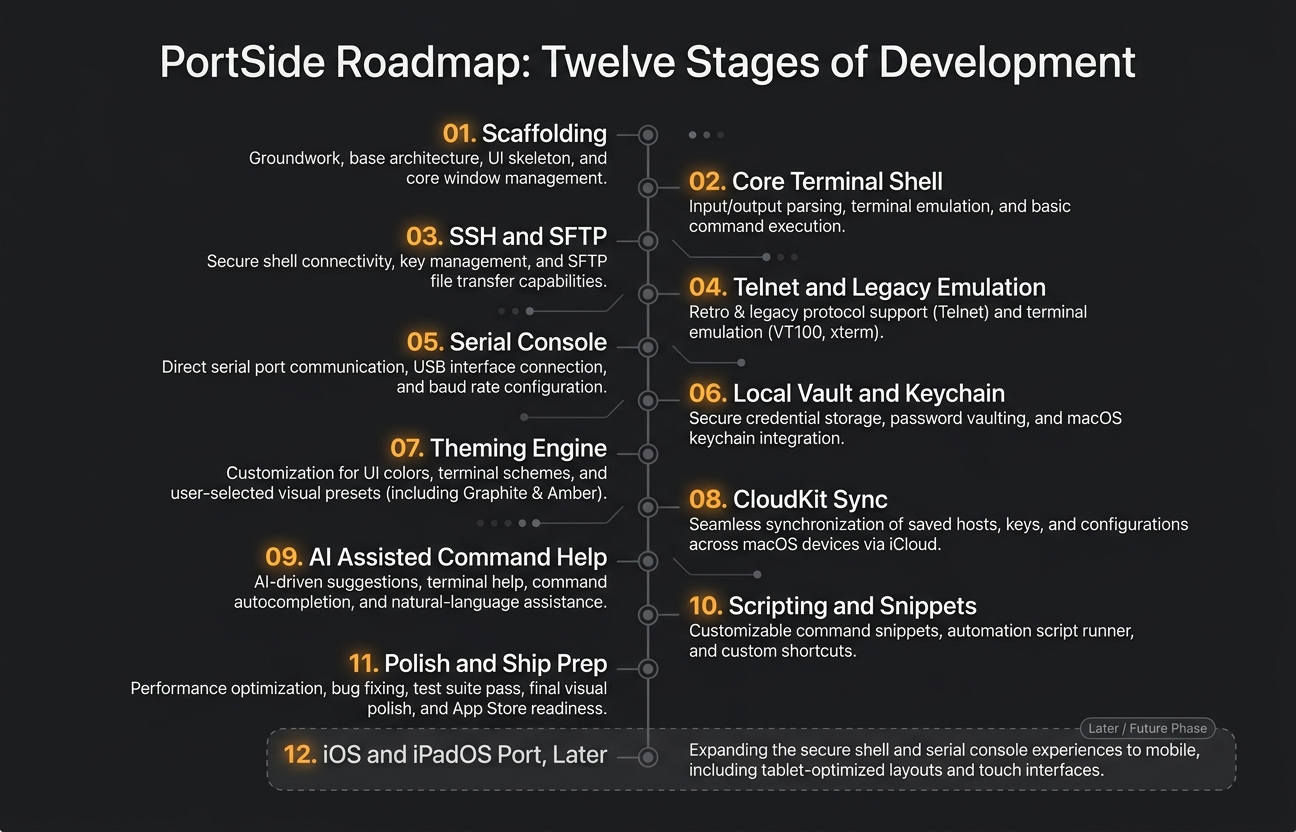
Rather than attempting to build the whole application at once, I broke the project into eleven phases:
- Scaffolding and a basic terminal shell
- SSH, Telnet, and serial support
- A local vault with Keychain backed credentials
- A full theming engine
- CloudKit sync
- AI assisted command help
- Scripting and snippets
- Polish and shipping, covering the app icon, onboarding, and notarization for direct distribution outside the Mac App Store
A twelfth phase, an iOS and iPadOS port, was intentionally left for later, once the Mac experience was solid enough to be worth carrying forward.
Staging the work this way did two things. First, it meant I always had a working, testable version of the app after each phase, rather than one enormous integration risk at the very end. Second, it made it possible to make a deliberate tradeoff partway through: ship the core terminal experience, protocol support, vault, and theming first as a fully usable single machine app, and only add CloudKit sync once the app was actually being used daily and it was clear what really needed to sync.
Designing the look before the first window opened
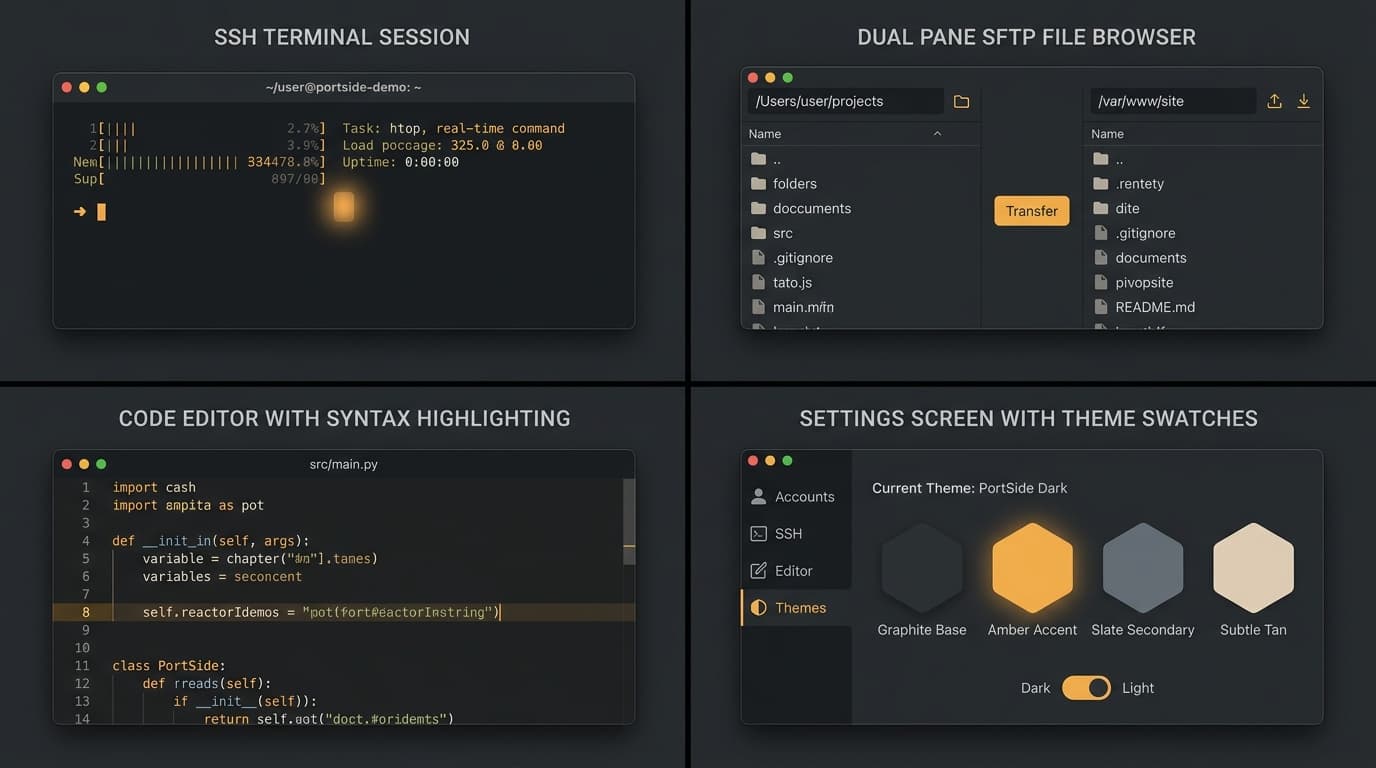
I locked in visual direction early as well, well before most of the actual features existed. The theme I chose, internally called Graphite Night, pairs a very dark charcoal background with a warm amber accent color and a monospaced font suited to reading code and command output for long stretches. I captured that decision in its own dedicated theme file from the beginning, so that every screen I built afterward, from the sidebar to the settings window to the onboarding flow, inherited the same consistent look rather than accumulating a patchwork of ad hoc styling choices over time.
One deliberate deviation from my original mockups is worth calling out, because it says something about how I handled small mismatches between plan and reality. My approved new connection screen had no tab for local shells, only for SSH, Telnet, and Serial. Rather than redesigning that whole screen just to squeeze in a fourth protocol tab, I gave local shells their own small, separate affordance in the tab bar instead. It was a minor compromise, made consciously and recorded as such, rather than either quietly breaking from the approved design or spending time on a redesign that a single feature did not justify.
What came next
With a name, a technical foundation, a staged plan, and a visual identity in place, I could start building with a clear sense of what success looked like at each step. The next post in this series walks through how the individual features actually came together over time: which ones shipped exactly as planned, which ones grew well beyond their original scope once real usage revealed gaps, and how the feature set evolved from the original eleven phases into the much larger set of capabilities PortSide has today.
Coming up next: From SSH to Syntax Highlighting
Building PortSide: A Developer's Field Notes
- 1.The Idea Behind PortSide (you are here)
- 2.From SSH to Syntax Highlighting
- 3.Bug Checks, Security Reviews, and Honest Logs
Related posts
Comments
No comments yet. Be the first.